How to Outsource Your Photo Booth Template Edits Without Hiring a Designer

Photo booth owners are busy. Between bookings, enquiries, event setup, travel, equipment, admin and customer service, design work can quickly become another job on top of everything else.

Then there are the client templates.

You may need to find a suitable design, edit names and dates, match colours, resize layouts, send proofs, make revisions and prepare final files before the event. If you are not confident with design software, this can feel even more stressful.

BespokeBooth is designed to make that process easier.

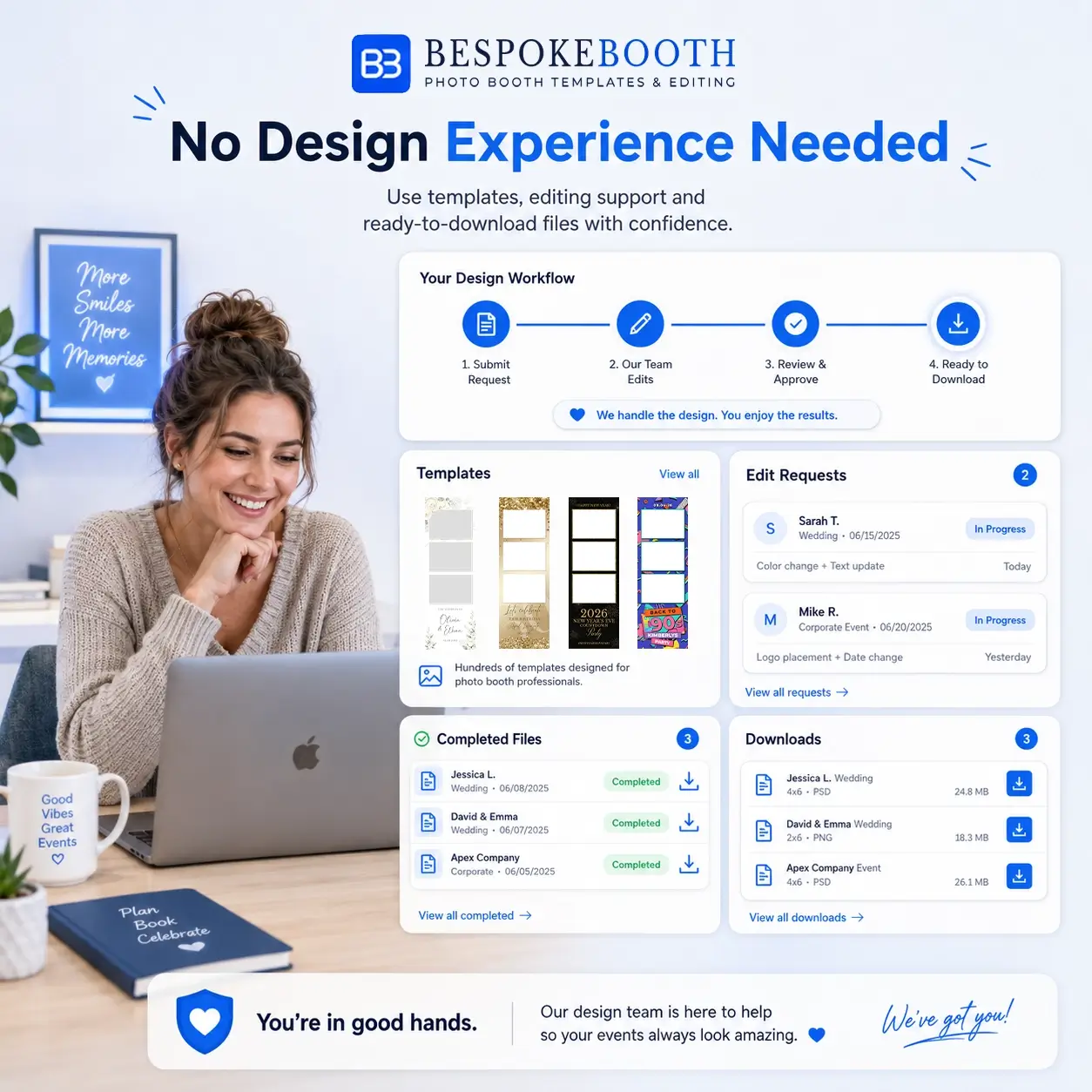
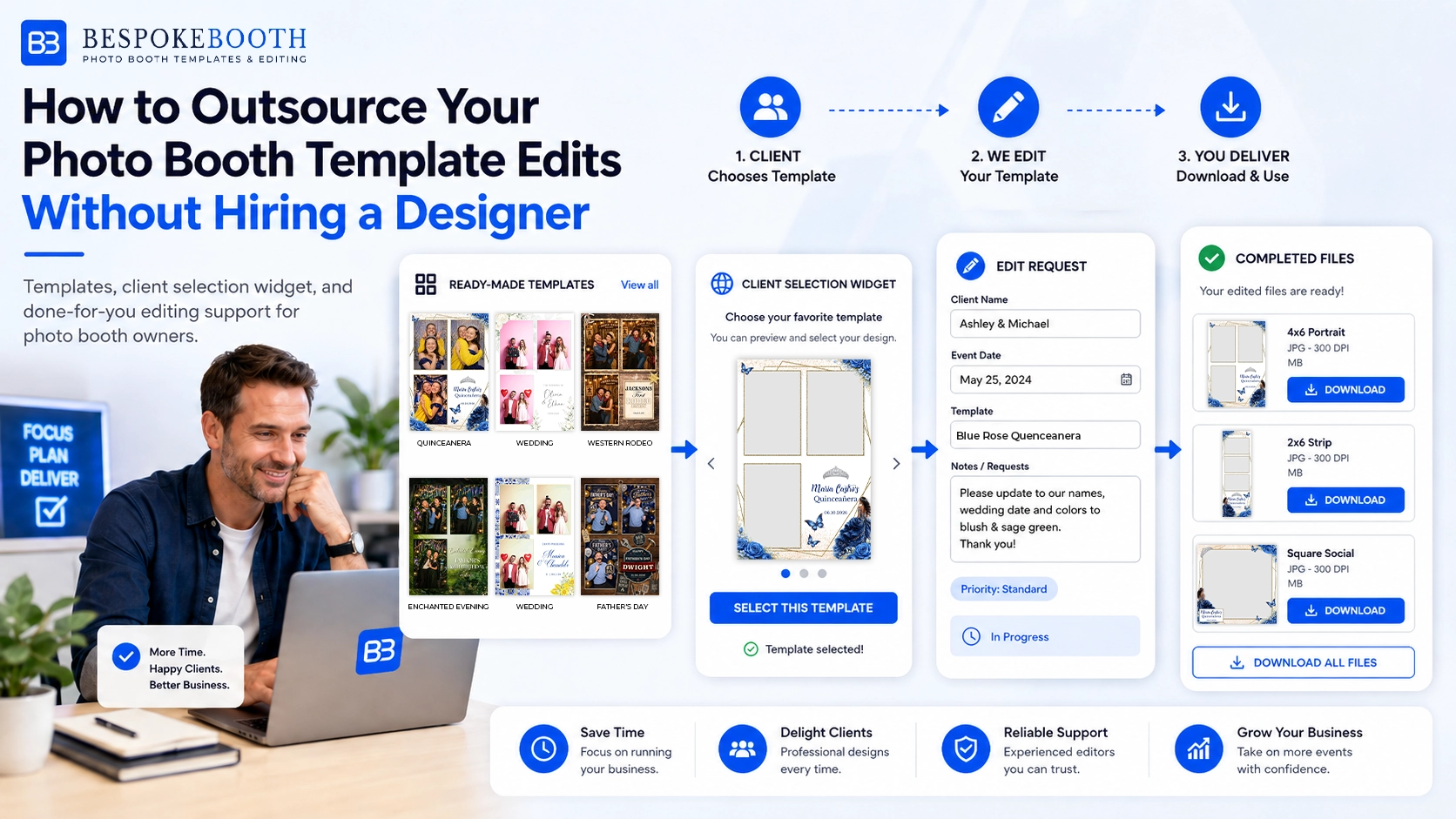
Instead of handling every template edit yourself, members can use ready-made photo booth templates, a client template selection widget, and a done-for-you editing workflow. When a client submits a template through your widget, the details can go directly to the BespokeBooth editing team, so the design work can begin without you needing to manually collect everything and submit the request yourself.

You can still submit edit requests manually if you want to, but the main benefit is that BespokeBooth helps turn client template selection and editing into a much smoother workflow.

Photo booth template editing workflow with BespokeBooth templates, widget and completed event files.

Quick summary:

Photo booth template editing can take more time than expected, especially when you are managing bookings, client details, revisions, layout changes and final files. BespokeBooth helps photo booth owners outsource this process without hiring their own designer. Members can use ready-made templates, send clients a widget link, let clients choose a design and submit their event details, then have the request sent to the BespokeBooth editing team. This creates a smoother workflow with less manual admin, less design work and a more professional client experience.

Why Photo Booth Template Editing Takes More Time Than Expected

The first step is to log in to your BespokeBooth account using the email address you used when joining.

Once logged in, you will be able to access your member areas, download templates, view available resources, and use any membership features included with your plan.

Template editing often sounds simple at first. A client just needs their names, event date and colours added to a design.

But in reality, the process can involve a lot more:

A small design task can quickly become an evening of admin, especially if a client changes their mind or asks for a layout variation at the last minute.
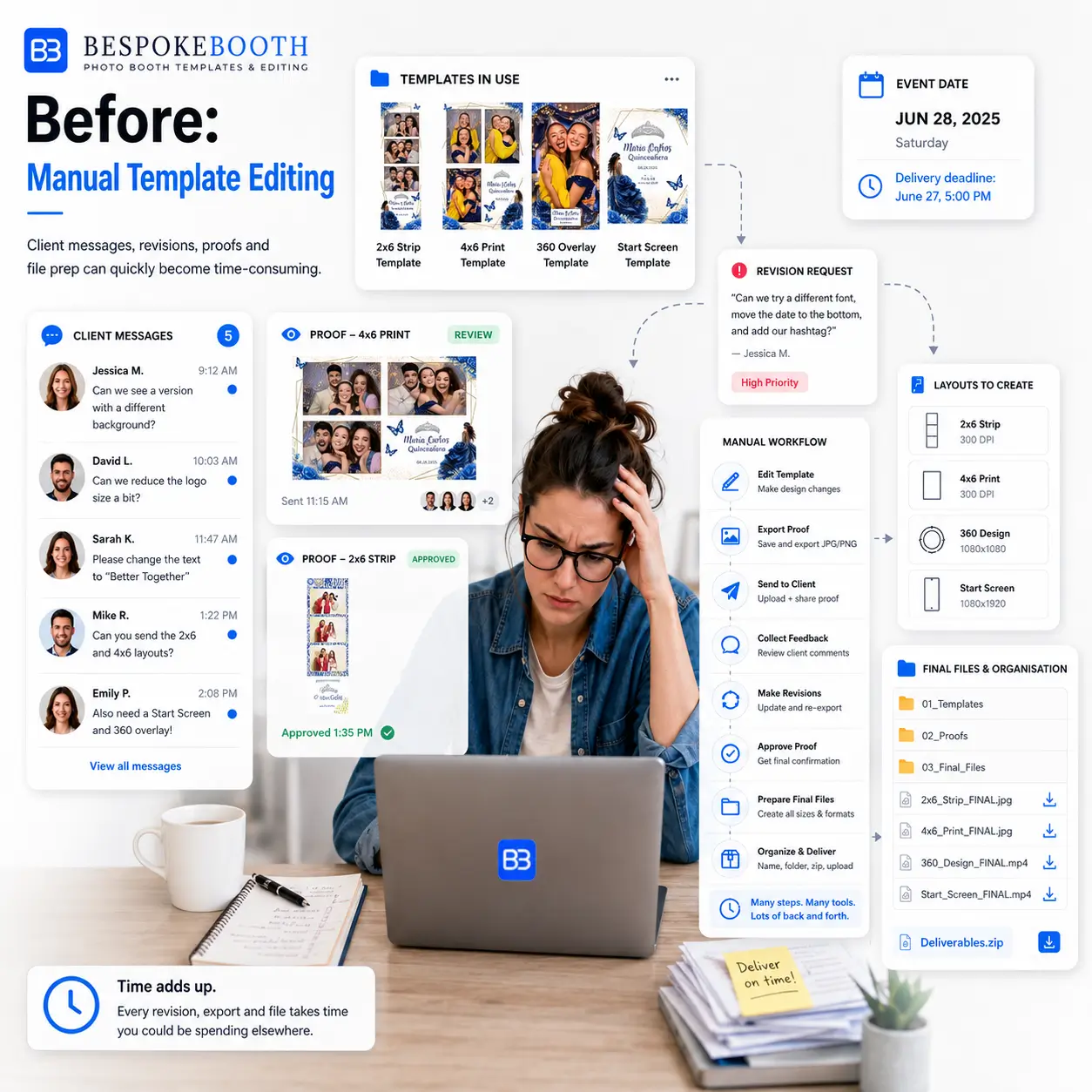
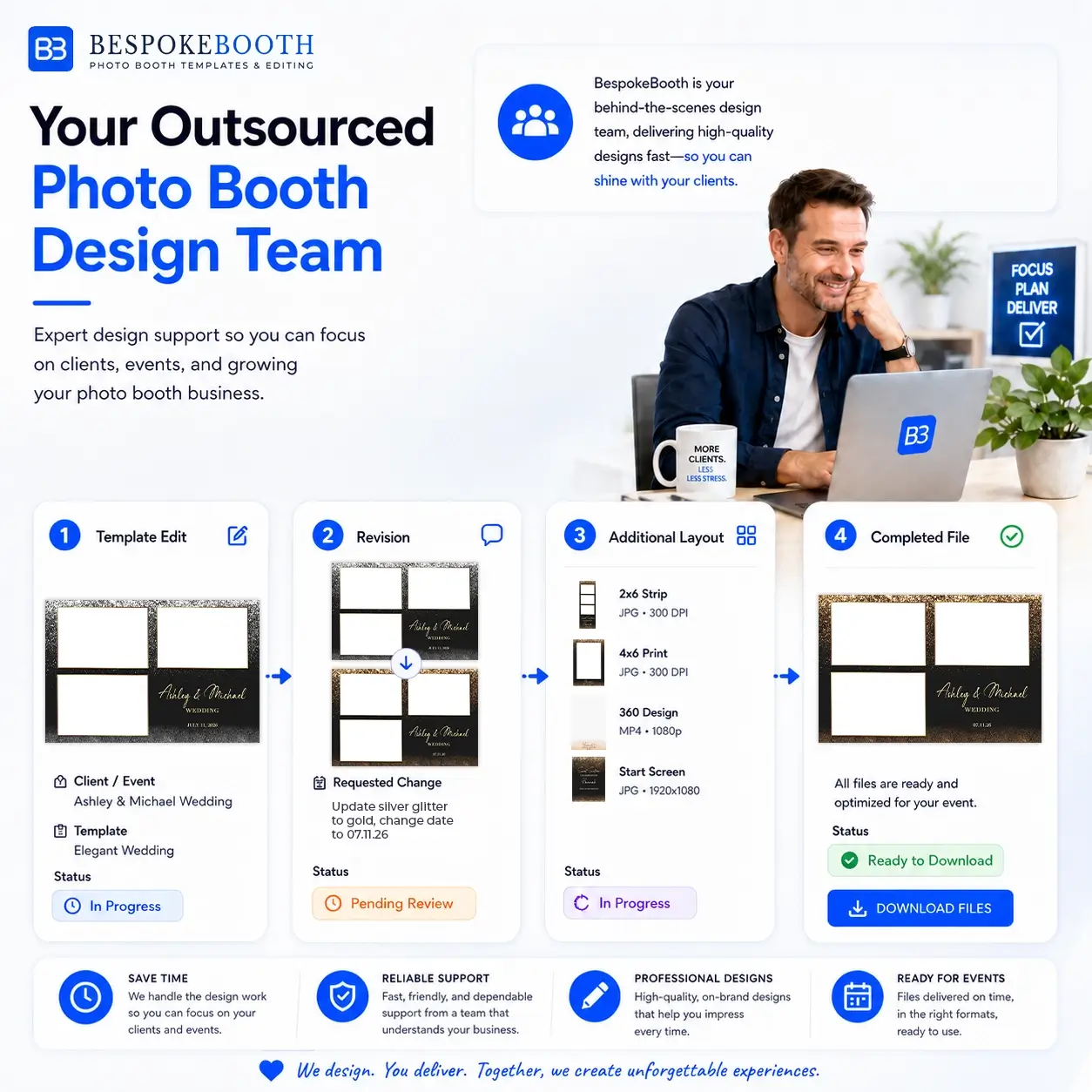
Photo booth owner managing template edits, client messages, revisions and layout changes manually.

What Is the BespokeBooth Editing Service?

The BespokeBooth editing service is a done-for-you design support workflow for photo booth owners.

Instead of editing every template yourself, BespokeBooth can act like an outsourced design team for your photo booth business. Members can use the template library, send clients to their widget, and have client template submissions passed to the editing team.

This means your client can choose a design, add their event details, and the BespokeBooth team can prepare the edited file for you.

You do not need to hire a designer, build your own design team, or spend hours editing every layout yourself.

Important point:
Members can still submit edit requests manually when needed. However, the main workflow is designed to reduce admin by letting client widget submissions flow through to the editing team.

BespokeBooth acting as an outsourced design team for photo booth template edits, revisions and completed event files.

How the Automated Editing Workflow Works

Step 1: Send Your Client Your Widget Link

After your client books their event, you can send them your BespokeBooth widget link. The widget lets them browse available photo booth templates and choose the design they like.

Step 2: Your Client Chooses a Template

Your client selects a template from your widget. This gives them a clear and professional way to choose their design, instead of you sending screenshots, folders or long lists manually.

Step 3: Your Client Submits Their Event Details

The client adds the details needed for the design, such as:

Step 4: The Request Goes to the BespokeBooth Editing Team

Once the client submits through your widget, the submission details can automatically go to the BespokeBooth editing team. This is the key time-saving part of the workflow. You do not need to manually collect the client’s information and submit the edit request yourself, unless you want to.

Step 5: BespokeBooth Edits the Template

The editing team prepares the selected template using the client’s event details. This may include updating names, dates, wording, colours or other small design details depending on the request.

Step 6: You Receive the Completed File

Once the file is complete, it is sent to you or made available for download. You can check the finished file before sending it to your client or uploading it to your booth software.

Step 7: Request a Revision or Additional Layout if Needed

If the client needs a small change, or if you need a matching layout, you can request a revision or additional layout through the member workflow. This could include:

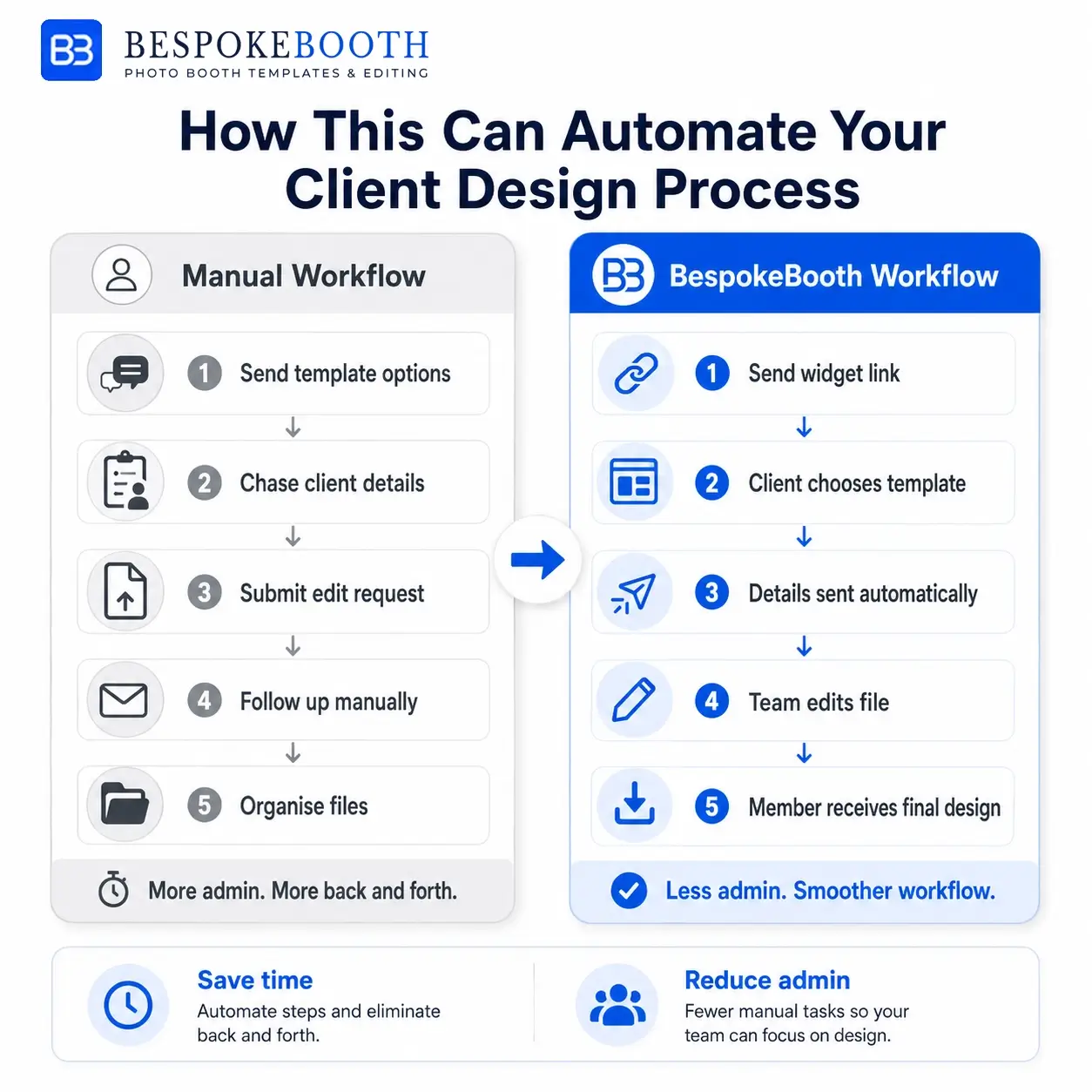
How This Can Automate Your Client Design Process

BespokeBooth does not replace every part of your business, but it can help automate a large part of your client design workflow.

The goal is to remove the repeated manual steps that slow you down.

Instead of doing this:

Client messages you → you send template options → client chooses → you collect details → you submit the edit → you wait for the file

The workflow can become:

Client uses your widget → client submits their details → BespokeBooth receives the request → BespokeBooth edits the file → you receive the completed design

That makes the process feel much smoother for the member.

You still stay in control, but you do not have to be involved in every small admin step

Manual Workflow

BespokeBooth Workflow

Manual photo booth template editing workflow compared with BespokeBooth automated client widget and editing workflow.

Why This Is Useful If You Are Not Confident With Design Software

You do not need to be a professional designer to use BespokeBooth

Many photo booth owners are confident running events, handling customers and managing equipment, but they do not want to spend hours in Photoshop, Canva, Photopia or other design software.

BespokeBooth is helpful because you can still offer professional-looking designs without needing to create everything yourself.

Why This Is Also Useful If You Can Edit Templates Yourself

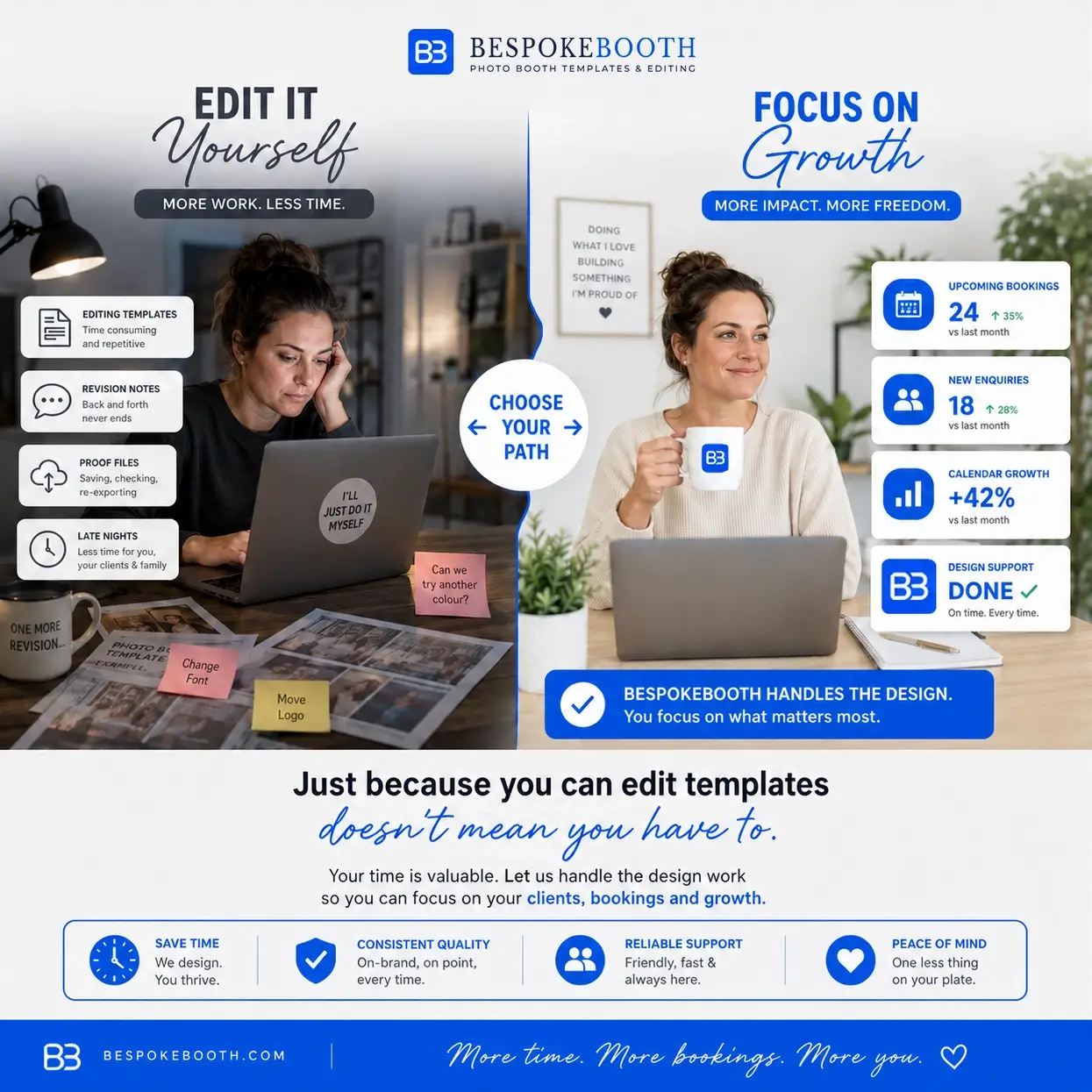
Even if you know how to edit templates, that does not always mean it is the best use of your time.

If you are spending evenings changing names, resizing layouts, creating matching designs and making small client revisions, those hours are being taken away from other parts of your business.

BespokeBooth is not only for people who cannot edit. It is also for photo booth owners who can edit, but would rather not spend their time doing repetitive design tasks.

Before and after comparison showing manual photo booth template editing compared with BespokeBooth automated editing support

Before and After BespokeBooth

Before BespokeBooth

A client books an event. You search for a design, send options manually, collect the client’s details, edit the template yourself, send a proof, make a revision, resize the file and prepare the final artwork. If the client wants another layout, the process continues.

With BespokeBooth

Your client opens your widget, chooses a template and submits their event details. The submission can go directly to the BespokeBooth editing team. The team edits the file and sends the completed design to you. You then check the file, send it to your client and request any changes if needed. This makes the benefit simple: Less admin. Less manual editing. A smoother client design workflow.

Is This the Same as Hiring a Designer?

Not exactly.

Hiring a designer usually means finding someone, explaining your business, sending instructions, paying per job, waiting for availability and managing the whole process yourself.

BespokeBooth is different because it is built specifically around photo booth businesses.

You are not just hiring a random designer. You are using a photo booth-specific design support system with templates, a client widget and an editing workflow designed around real event requests.

It works more like an outsourced design department for your photo booth business.

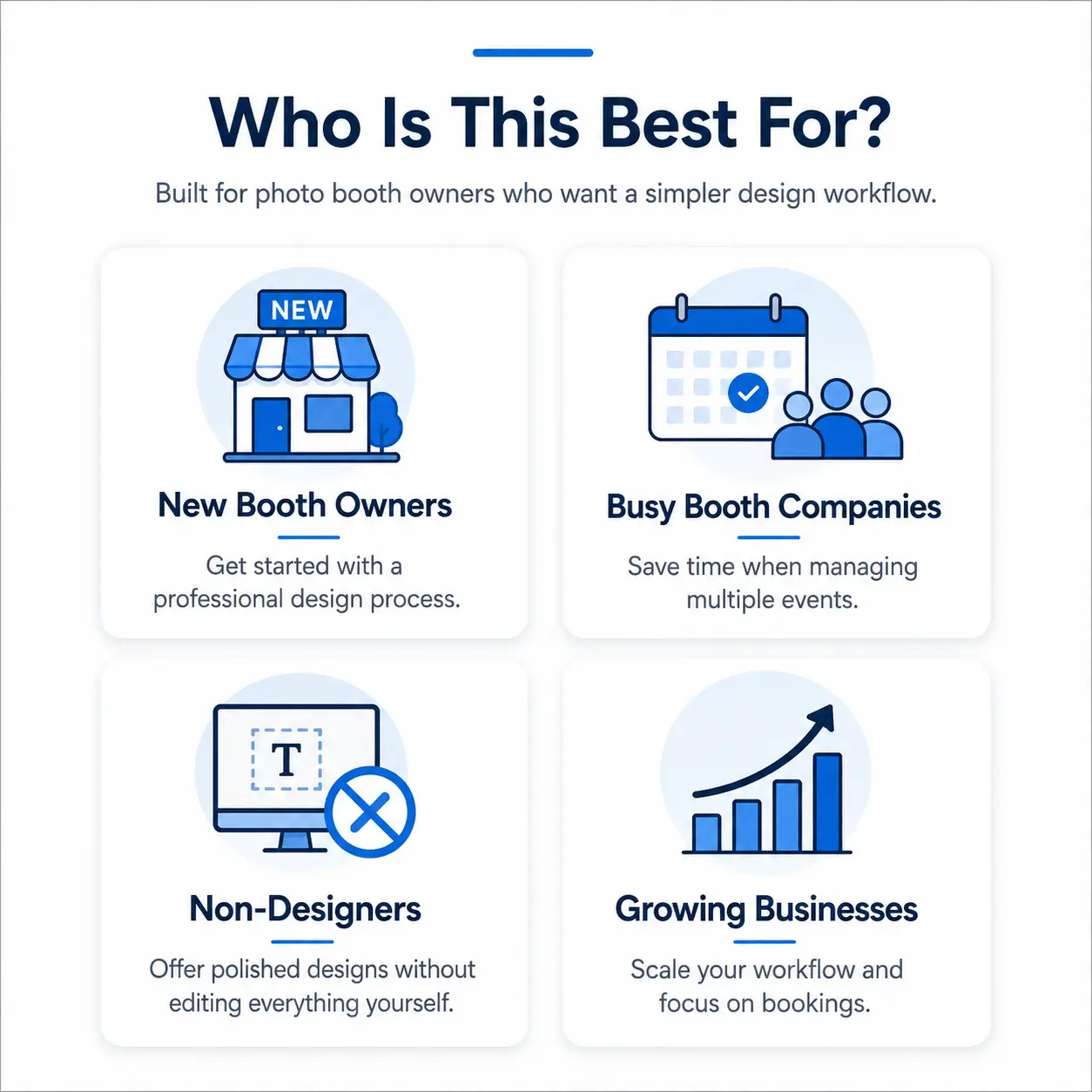
Who Is This Best For?

Saving time

BespokeBooth can save time and reduce design admin, but it does not replace every part of your photo booth business. You may still need to:

BespokeBooth supports the template selection and editing workflow. It does not run your entire photo booth business for you.

This is why it works best as a support system: it helps remove a large part of the design workload while still keeping you in control.

Types of photo booth owners who can benefit from BespokeBooth template editing support.

Final Thoughts

Let us help you & your business

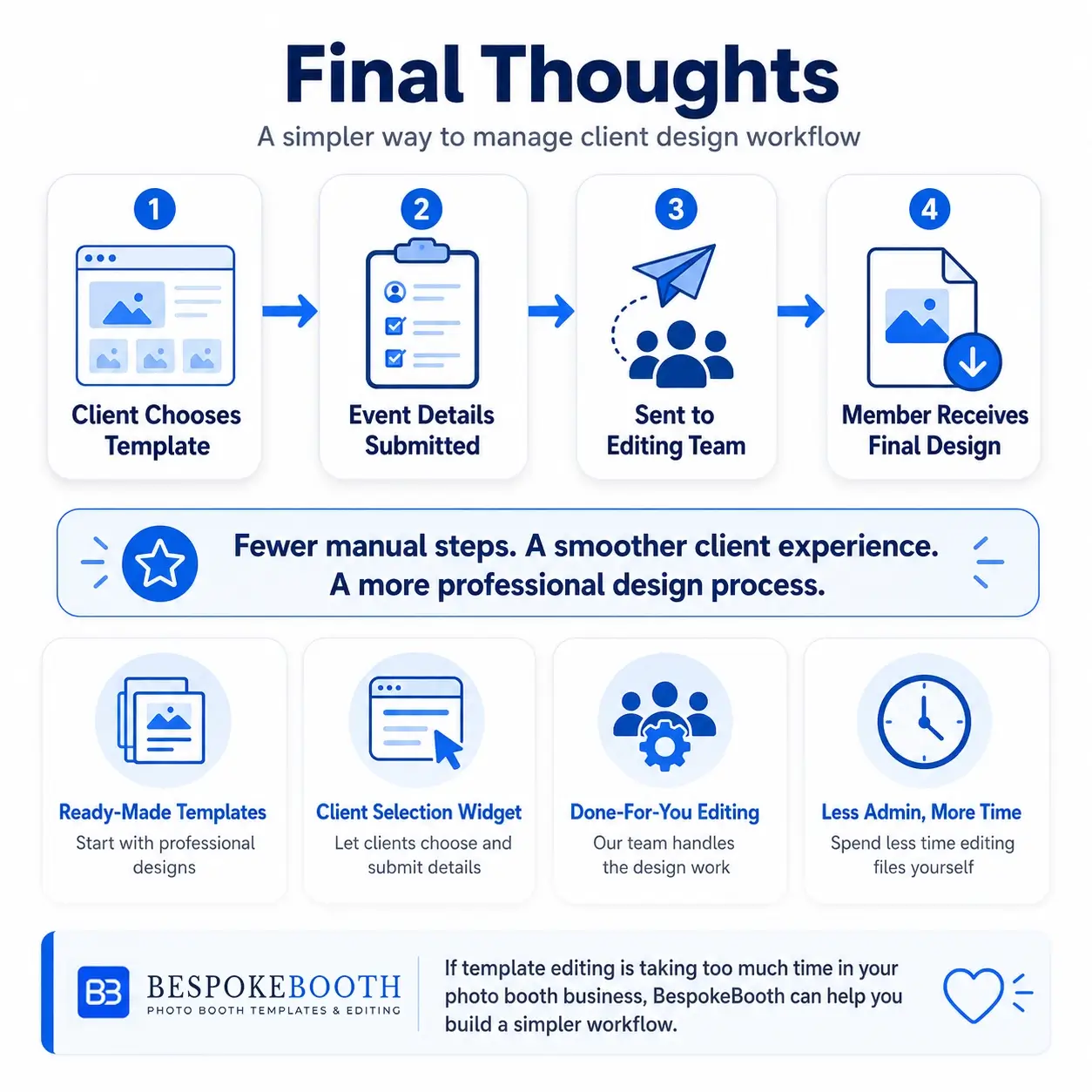
If template editing is taking too much time in your photo booth business, BespokeBooth can help you build a simpler workflow.

With ready-made templates, a client selection widget and done-for-you editing support, you can reduce manual admin and spend less time editing files yourself.

The biggest benefit is that your client can choose a template and submit their event details through your widget, and that information can go directly to the BespokeBooth editing team.

That means fewer manual steps for you, a smoother client experience, and a more professional design process for your business.

Explore BespokeBooth membership options and see how our templates, widget and editing support can help you manage client designs more easily.

FAQ'S

Yes. BespokeBooth can edit templates using your client’s event details. When a client submits a template through your widget, the details can go directly to the editing team so the file can be prepared for you.

No. The main workflow is designed so that client submissions through your widget can be sent to the BespokeBooth editing team automatically. You can still submit edit requests manually if you prefer or if you need to handle a special request yourself.

No. BespokeBooth is especially useful for photo booth owners who are not confident with Photoshop, Canva, Photopia or other design tools.


Yes. Your widget lets clients browse template options and choose the design they like for their event.

Yes. If your client needs a small change, you can request a revision. This may include changes to names, dates, colours, wording or other small details.

Yes. BespokeBooth can act like an outsourced design team for your photo booth business, helping with template edits, revisions, additional layouts and completed event files.