Best Photo Booth Templates for Photo Booth Businesses: What to Look For

Discover what makes a professional photo booth template, which formats and layouts booth owners need, and how to reduce repeated client editing.

Choosing the best photo booth templates for your business involves more than finding attractive designs. A professional template should be available in the correct size, work with your booth software, include suitable editable files and be practical to personalise for each client.

You should also consider how much work remains after downloading the design. Some template providers supply only the files, while others offer additional services such as client template selection, professional editing and customisation support.

The best option therefore depends on whether you want to edit every design yourself or use a system that helps manage the complete client template workflow.

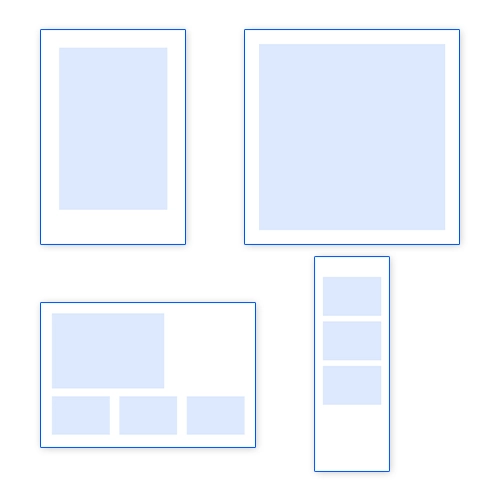
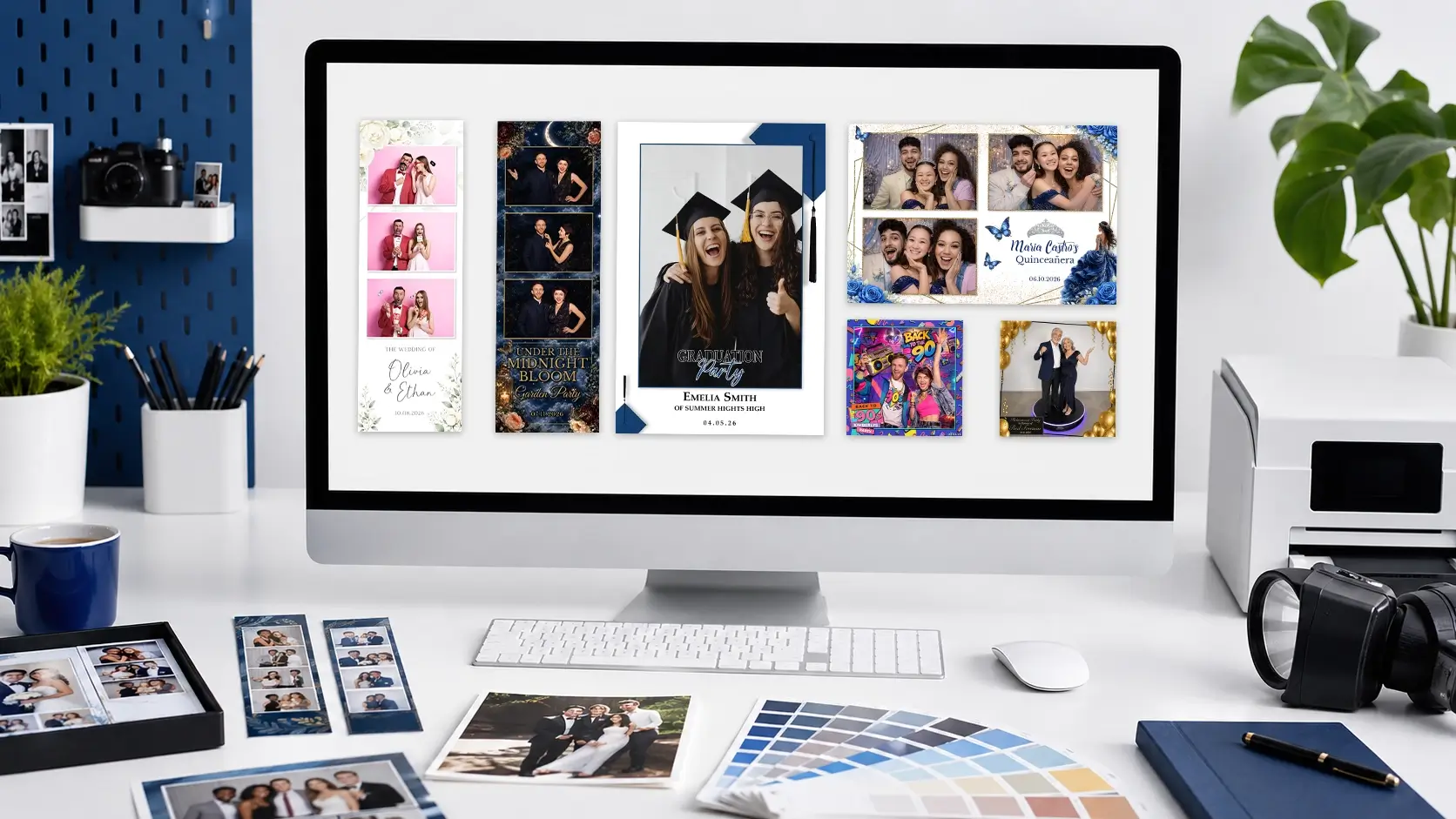
Professional photo booth operator comparing print strips, portrait templates, landscape templates and digital overlays.

Quick summary:

When comparing photo booth templates, look for:

A large template library can save time when choosing designs, but it does not automatically remove the work of collecting client details, changing names and dates, adjusting colours, exporting files and handling revisions.

For busy operators, a service that combines templates, client selection and professional editing may provide more value than a download library alone.

What Should Photo Booth Businesses Look for in a Template?

The visual appearance of a template is important, but it is only one part of the decision.

A design can look excellent in a product preview and still be difficult to use during a real event. Before purchasing or downloading a template, check whether it is designed around the practical needs of a photo booth business.

Correct dimensions

The template must match the output size required by your booth software and printer. Common formats include:

A design created for one format cannot always be resized into another without significant rearrangement. Elements that look balanced on a vertical strip may not work in a landscape print.

A good provider should clearly state which layouts are included rather than expecting you to rebuild the design yourself.

Accurate photo windows

Photo windows need to be correctly sized and positioned so that images from the booth software fit as intended. Poorly prepared windows can cause:

This is particularly important when using multiple photographs on a narrow strip. Even a small placement error can become noticeable once the design is printed.

Clear areas for personalisation

Most event templates need space for information such as:

The design should provide enough room for these details without making the final file feel overcrowded.

Templates with highly decorative backgrounds or fixed wording can become difficult to customise when a client requests longer names, a detailed event title or several logos.

Legible typography

Decorative fonts can add personality, but important event information must remain readable. Consider whether the wording will still be clear:

Professional photo booth templates should balance style with practical readability.

A design that suits your customer base

The best template library is not necessarily the one with the most designs. It is the one containing designs your clients will actually choose. For example, a wedding-focused business may need:

A corporate booth operator may place greater importance on:

Review the library based on your bookings rather than the total number of templates advertised.
Essential Photo Booth Template Sizes and Layouts

Before choosing a provider, identify which formats you regularly offer.

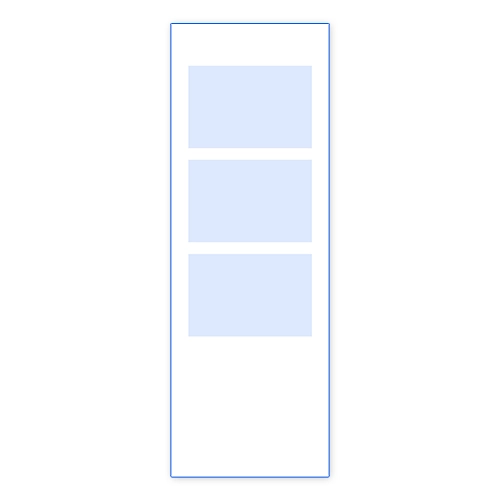
2 × 6 photo booth strip layout with three stacked photo windows

2 × 6 photo booth strips

The 2 × 6 strip remains one of the most recognisable photo booth formats. It is commonly printed twice on a 4 × 6 sheet and then cut into two strips.
These layouts often contain:

4 × 6 portrait photo booth template with one large photo window

4 × 6 portrait templates

A portrait 4 × 6 layout provides more room for larger photographs and event branding.

It is useful for:

These templates may use one large photograph, several smaller images or a magazine-style composition.

6 × 4 landscape photo booth template with three photo windows

6 × 4 landscape templates

Landscape formats work well when larger group photographs are expected.

They can also provide more space for:

However, they need to be designed specifically for the horizontal orientation. Simply rotating or stretching a portrait layout is unlikely to produce a professional result.

Square digital photo booth overlay with one large photo area

Digital social & 360 video layouts

Digital booth experiences may require square, landscape or vertical formats designed for sharing rather than printing.

These can include:

Check whether digital layouts are included with the print design or sold separately.

Matching photo booth template layouts in portrait, landscape, square and strip formats

Matching layout collections

Offering the same design across multiple layouts can create a more consistent client experience.

For example, a client may need:

A coordinated collection saves you from trying to recreate the theme manually across different canvas sizes.

Which Editable File Formats Do You Need?

Editable photo booth templates are usually supplied in formats designed for specific software.

The correct choice depends on your workflow, experience and preferred editing tools.

Layered Photoshop PSD file icon for editable photo booth templates

Photoshop files

Layered Photoshop files are often the most flexible option.

A well-organised PSD may include separate layers for:

Photoshop files can offer detailed editing control, but they require compatible software and a certain level of design knowledge.

You may also need to install fonts, relink assets or adjust layer styles.

Editable Canva file icon for customising photo booth templates

Canva templates

Canva can be easier for operators who do not use professional design software.

It allows users to:

However, you still need to confirm that the canvas dimensions, photo-window positions and export settings meet your booth requirements.

The fact that a design is editable in Canva does not automatically mean it is ready for a particular printer or booth application.

PNG file icon for a finished photo booth template

PNG and flattened files

A PNG is useful when the design is already complete and needs to be imported into booth software.

However, flattened files provide limited editing flexibility. Changing text, colours or decorative elements may be difficult unless the original source file is also included.

PNG-only templates are more suitable when:

Animated Canva file icon for editable photo booth start screens

Animated Canva

Canva can also be used to create and edit animated start screens.

It allows users to:

This can however be very time consuming even if you know what you are doing. BespokeBooth has pre-made animated Canva start screens with editable text to speed up your process.

MP4 video file icon for animated photo booth content

Other file formats

Depending on the provider, templates may also include:

Before purchasing, check exactly what is included.

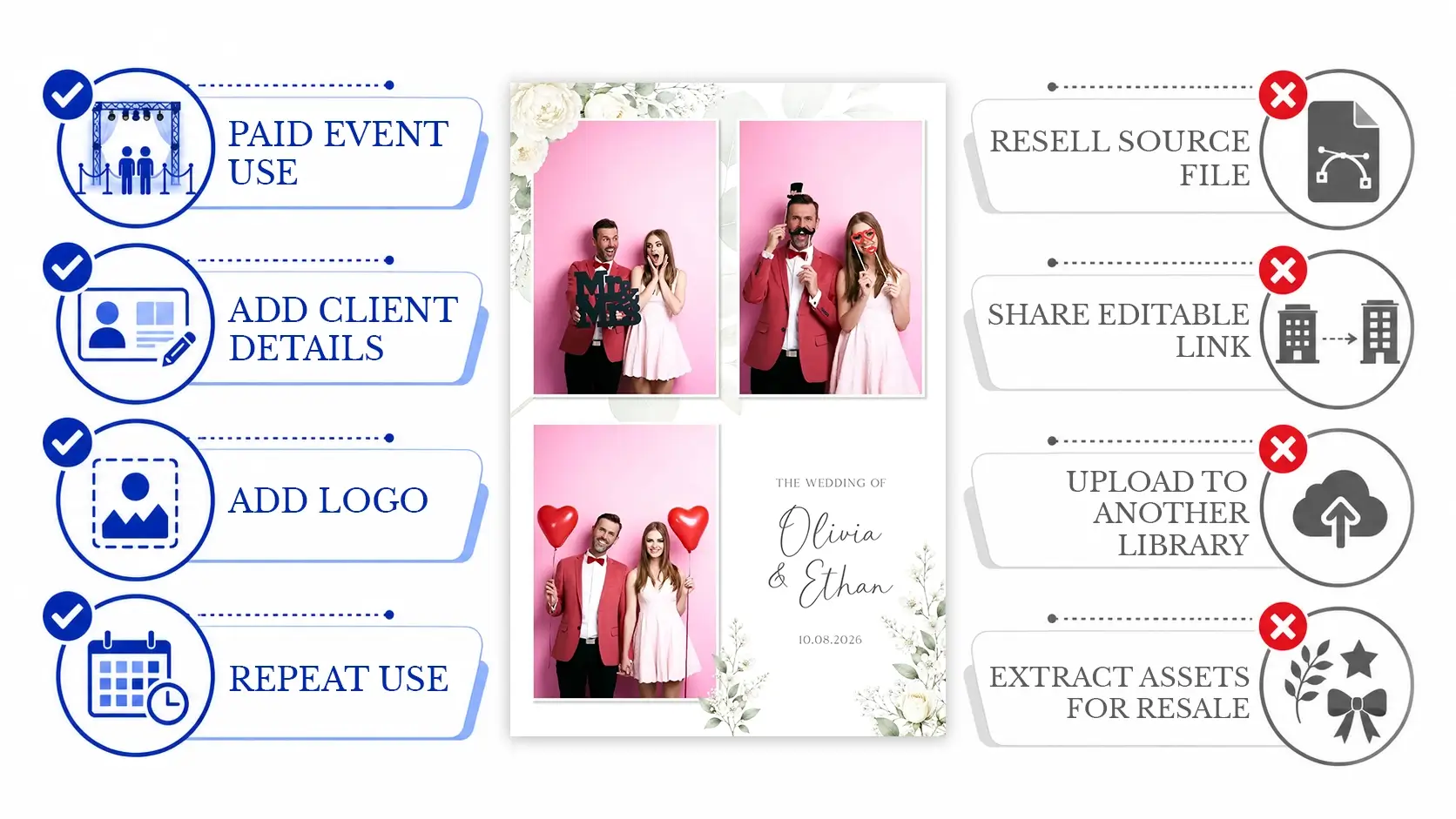
Commercial Use and Template Licensing

Photo booth businesses normally use templates as part of a paid service, so commercial-use permissions are important.

Do not assume that every design found online can be used for client events.

Check whether the licence allows you to:

You should also check what is prohibited.

Common restrictions may include:

Licensing terms vary between providers. Read the provider’s current terms rather than relying on assumptions.

Commercial-use infographic showing permitted client use and prohibited redistribution of template files.

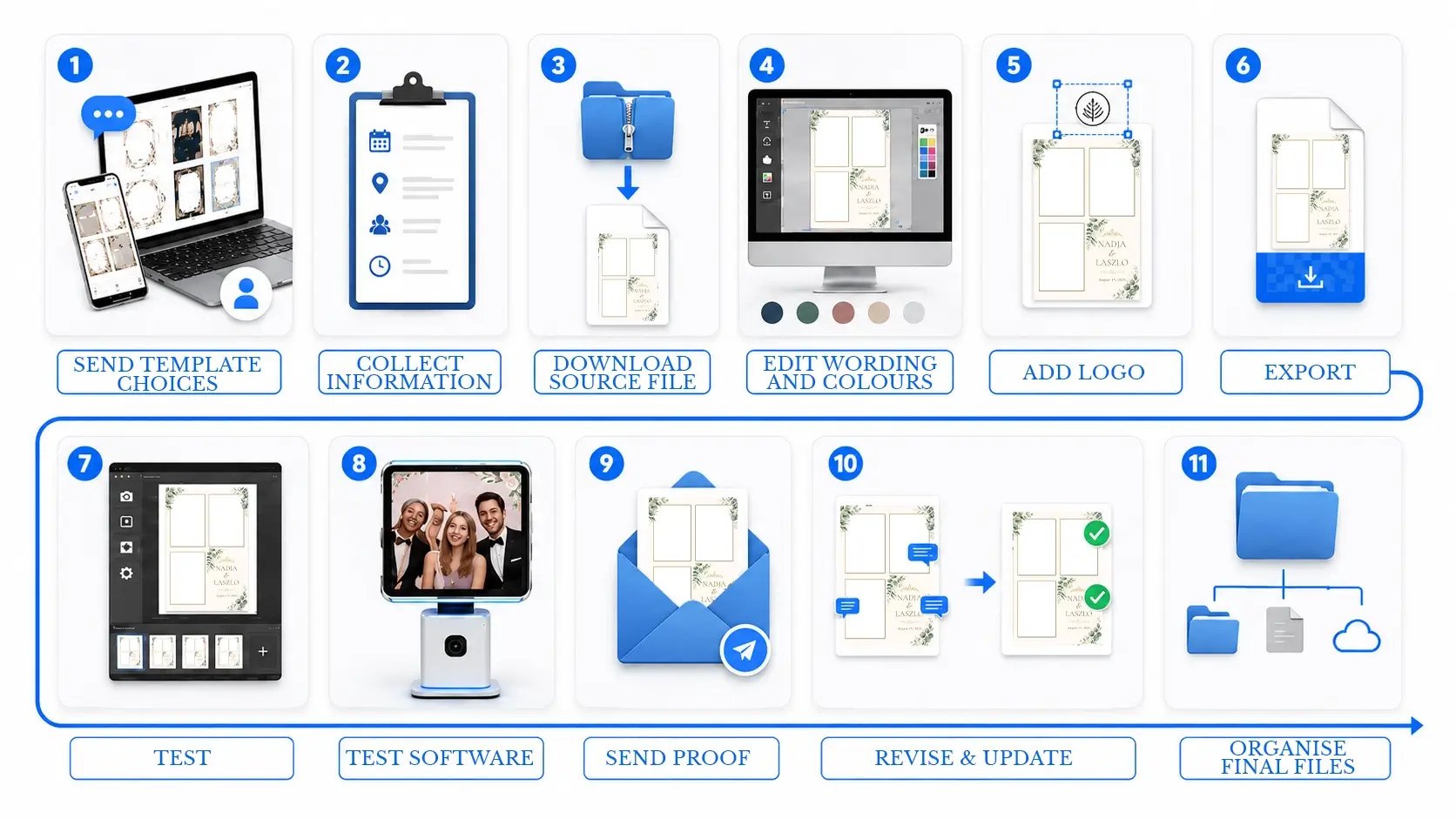
How Much Editing Work Remains After Downloading a Template?

Downloading a template is only the beginning of the workflow.

For each event, the booth owner may still need to:

None of these individual steps may seem especially difficult, but the workload becomes more noticeable when several clients require templates at the same time.

Last-minute bookings, missing information and revision requests can also interrupt other parts of the business.

This is why it is useful to evaluate a template provider based on the complete workflow rather than only the appearance or price of each design.

Workflow showing client communication, template editing, exporting, testing, proofing and revisions after a design is downloaded.

Download-Only Template Libraries vs Editing Included

There are several ways to source templates, and each suits a different type of operator.

Feature

Individual template downloads

Template library membership

Library with editing support

Access to ready-made designs

Yes

Yes

Yes

Multiple event categories

Depends on provider

Usually

Usually

Matching layouts

Sometimes

Often

Often

Owner collects client details

Yes

Yes

Can be handled through a client form

Owner edits the design

Yes

Yes

Editing team can complete it

Owner prepares final PNG

Yes

Yes

Editing team can prepare it

Revision support

Limited or separate

Depends on provider

Can be included in the workflow

Suitable for owners who enjoy designing

Yes

Yes

Yes, but especially useful for outsourcing

Reduces repeated editing workload

No

Partly

Yes

Matching layout collections

Buying one design at a time can work well for new operators or businesses with occasional events.

The main benefits are:

The disadvantage is that the cost and organisation can increase as bookings grow.

You may also end up with templates from several providers, each using different file structures, fonts and layouts.

Download-library memberships

A template library gives you access to a larger collection and can make it easier to offer clients more choice.

This can reduce the need to purchase individual designs for every event.

However, access to unlimited or extensive downloads does not necessarily reduce the personalisation workload. You may still need to edit each template yourself.

Templates with professional editing

A library with editing support is more suitable for operators who want to reduce both template purchasing and repeated client editing.

The value comes from combining:

This changes the service from a design library into a workflow solution.

How a Client Template-Selection System Works

Many booth owners manage template choices through email.

They may send a gallery link, ask the client to reply with a design number and then collect names, colours, dates and logos through several messages.

This works, but it can create avoidable problems:

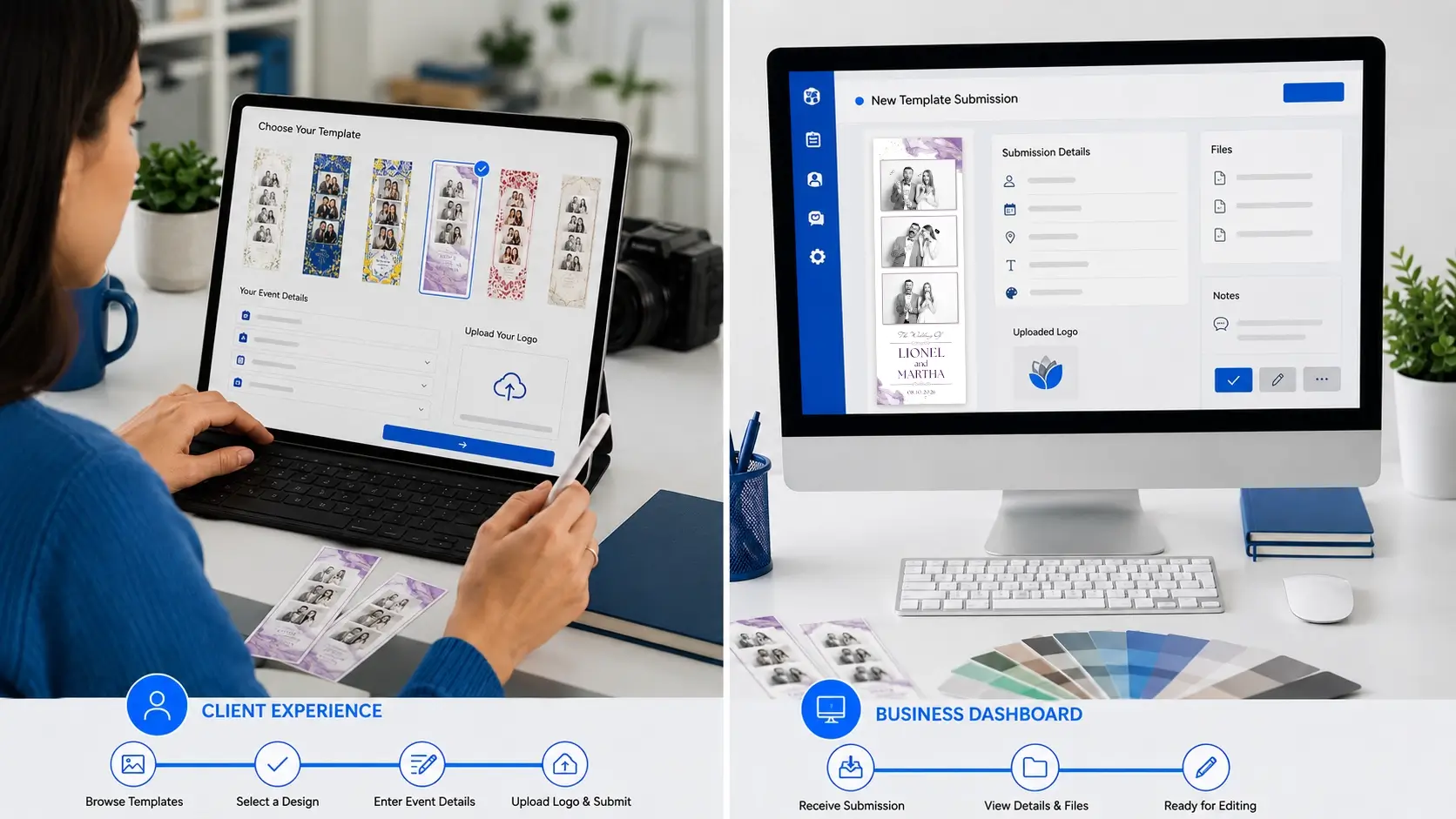
A client-facing template-selection widget can organise this process.

The client can:

The information can then be used to prepare the final design.

This reduces the number of messages the booth owner needs to manage and creates a more consistent experience for the client.

Client selecting a photo booth template and submitting event details through one organised online form.

How a Client Template-Selection System Works

BespokeBooth combines three parts of the photo booth template process:

A professional template library

Members can access photo booth templates across a range of themes, events and layouts. Rather than purchasing individual designs from separate sources, members can use one organised collection for ongoing bookings. You can browse the available designs through the Photo Booth Templates section of the website.

A client-facing template-selection widget

Members can provide their clients with a branded widget where they can browse templates and submit their event information. This helps organise template choices and reduces the need to collect details through multiple email messages. You can learn more on the Template Widget page.

Professional template editing

Client submissions can go directly to the BespokeBooth editing team, who personalise the chosen design and prepare the finished file, including revisions & additional layouts. Members can still submit manually, but the widget streamlines the journey from client selection to completed edit.

How to Choose the Right Photo Booth Template Provider

Before joining a library or purchasing a collection, ask the following questions.

Does the provider support the layouts you use?

Check print sizes, digital formats, orientations and matching assets.

Are the designs suitable for your normal bookings?

Look beyond the total template count. Review the depth of the categories most relevant to your business.

What editable files are included?

Confirm whether you receive PSD, Canva, PNG or another source format.

Do you need to supply your own fonts?

Check whether font information or links are included.

Can the designs be used commercially?

Read the licence and confirm that client-event usage is allowed.

How often are new templates added?

An active library is more useful for returning clients and seasonal events.

Does the provider offer support?

Find out what happens if there is a file problem, missing layout or editing question.

Who completes the client personalisation?

This is one of the most important differences between providers. Some sell the template and leave the remaining work to you. Others provide an editing service.

Can clients choose templates themselves?

A client-facing gallery or widget can reduce administration and improve the experience you offer.

What is the complete annual value?

Compare more than the cost of the downloads.

Consider:

A slightly more expensive service may provide better value if it removes several hours of recurring work.

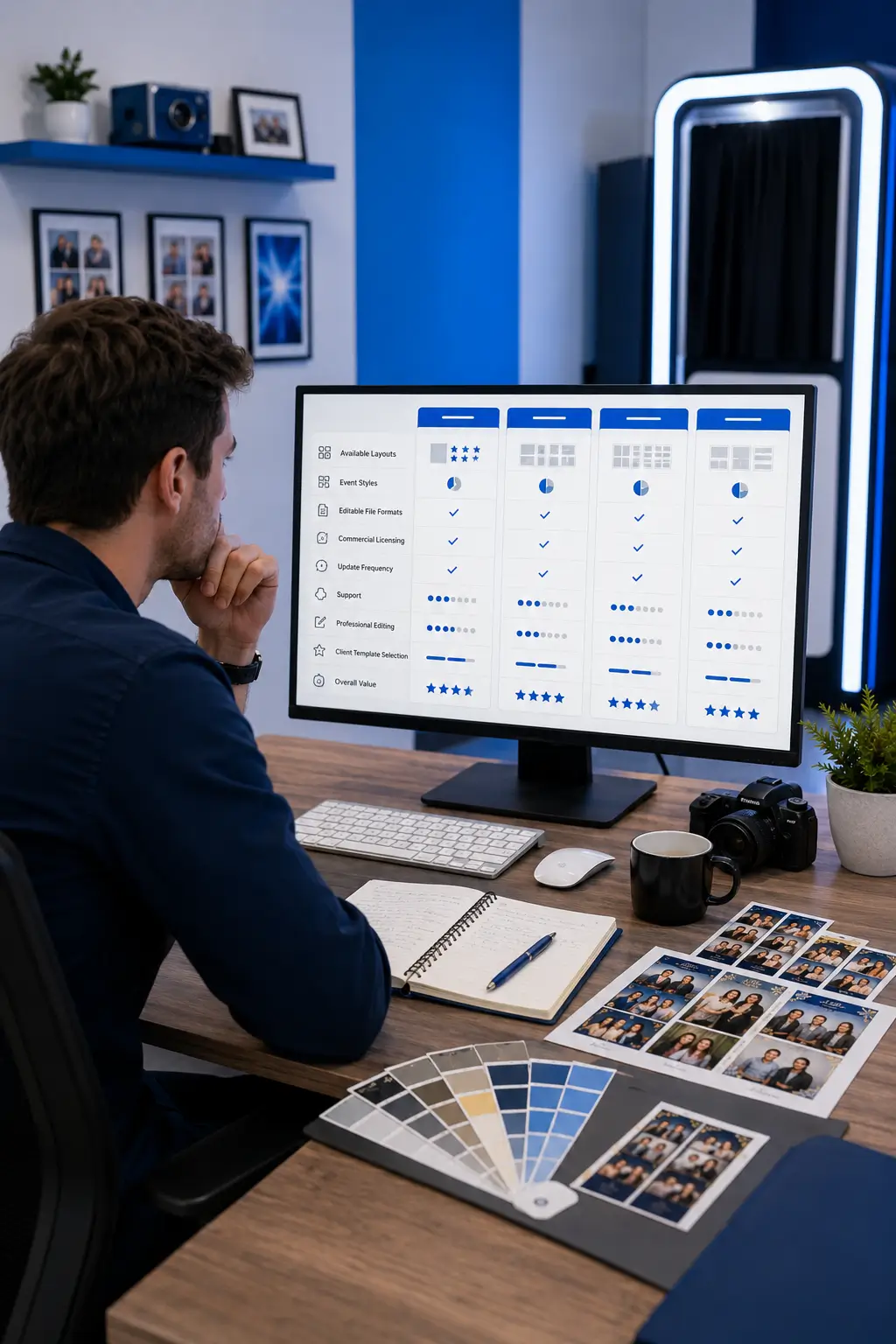
Booth business owner comparing template providers based on layouts, files, licensing, editing and workflow support.

Final Thoughts

The best photo booth templates for a business should be visually appealing, correctly prepared and practical to use during real client events.

Look for accurate dimensions, professional photo windows, editable source files, commercial-use permissions and a range of layouts that reflect the services you offer.

Most importantly, consider what happens after you select the design.

A download library can reduce the time spent creating artwork from scratch, but you may still need to collect the client’s information, personalise the design, export the final file and manage revisions.

BespokeBooth is designed to support the complete workflow. Members can access a professional template library, provide clients with a branded template-selection widget and use the BespokeBooth editing team to prepare the selected design.

This can help reduce repeated template administration while allowing you to continue offering clients a wide selection of professional designs.

Explore the BespokeBooth template membership to compare the available options, see how the editing service works and learn how the client template widget can fit into your business.

Frequently Asked Questions

The required setup depends on the physical print size, pixel dimensions, printer and booth software. A file labelled as 300 DPI is not automatically correct if its actual pixel dimensions do not match the intended output. Always follow the requirements of your printer and booth application and complete a test print before the event.

Photoshop usually provides more detailed layer control, while Canva may be easier for basic text, colour and logo changes. The better option depends on your experience and the complexity of the design. Operators who do not want to edit either format can instead use a professional template editing service.

Not every operator needs every format, but matching layouts are useful when you offer both print and digital experiences. Providing the same design as a 2 × 6 strip, 4 × 6 print and digital overlay can create a more consistent event package.

Organise files by event category, design name and layout. Keep the original source file separate from edited client versions. Use a clear naming structure that includes the client, event date, template and version number. This makes revisions and repeat access easier.

Yes, although the revision process should be clearly explained in advance. Set a deadline for the initial selection, specify which changes are included and explain when final approval is required. A structured submission and editing workflow can make revision requests easier to track.

Give Clients a Better Way to Choose Their Design

Offer a professional template-selection experience, collect event details more efficiently and leave the stock-template editing to our team

How it Works

Find out more

FAQ

Frequently asked questions.