Best Photo Booth Template Websites for Photo Booth Businesses

Discover what makes a professional photo booth template, which formats and layouts booth owners need, and how to reduce repeated client editing.

Choosing the best photo booth templates for your business involves more than finding attractive designs. A professional template should be available in the correct size, work with your booth software, include suitable editable files and be practical to personalise for each client.

You should also consider how much work remains after downloading the design. Some template providers supply only the files, while others offer additional services such as client template selection, professional editing and customisation support.

The best option therefore depends on whether you want to edit every design yourself or use a system that helps manage the complete client template workflow.

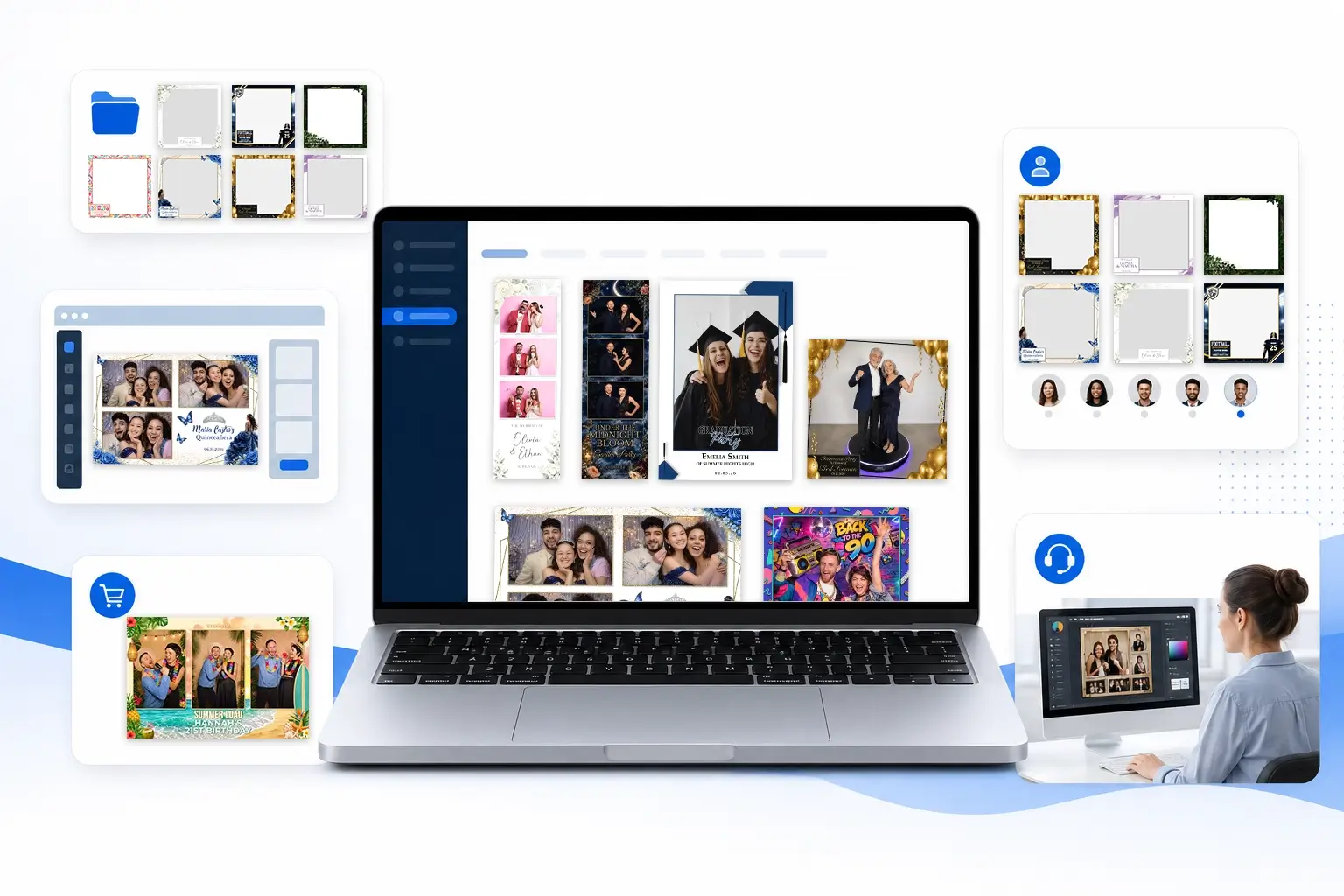
Best photo booth template websites displayed as template options on a laptop

Quick summary:

The best place to get photo booth templates depends on how often you need them and how much of the design process you want to manage yourself. BespokeBooth is the strongest all round option for professional photo booth businesses wanting a large template library, editable files, branded client selection and professional editing in one membership. Other template membership sites suits businesses prioritising a very large DIY multi-format download library. Canva and Etsy are useful for occasional or individual designs, while independent designers are best for fully bespoke projects. For regular bookings, compare the complete workflow, not just the number of templates available.

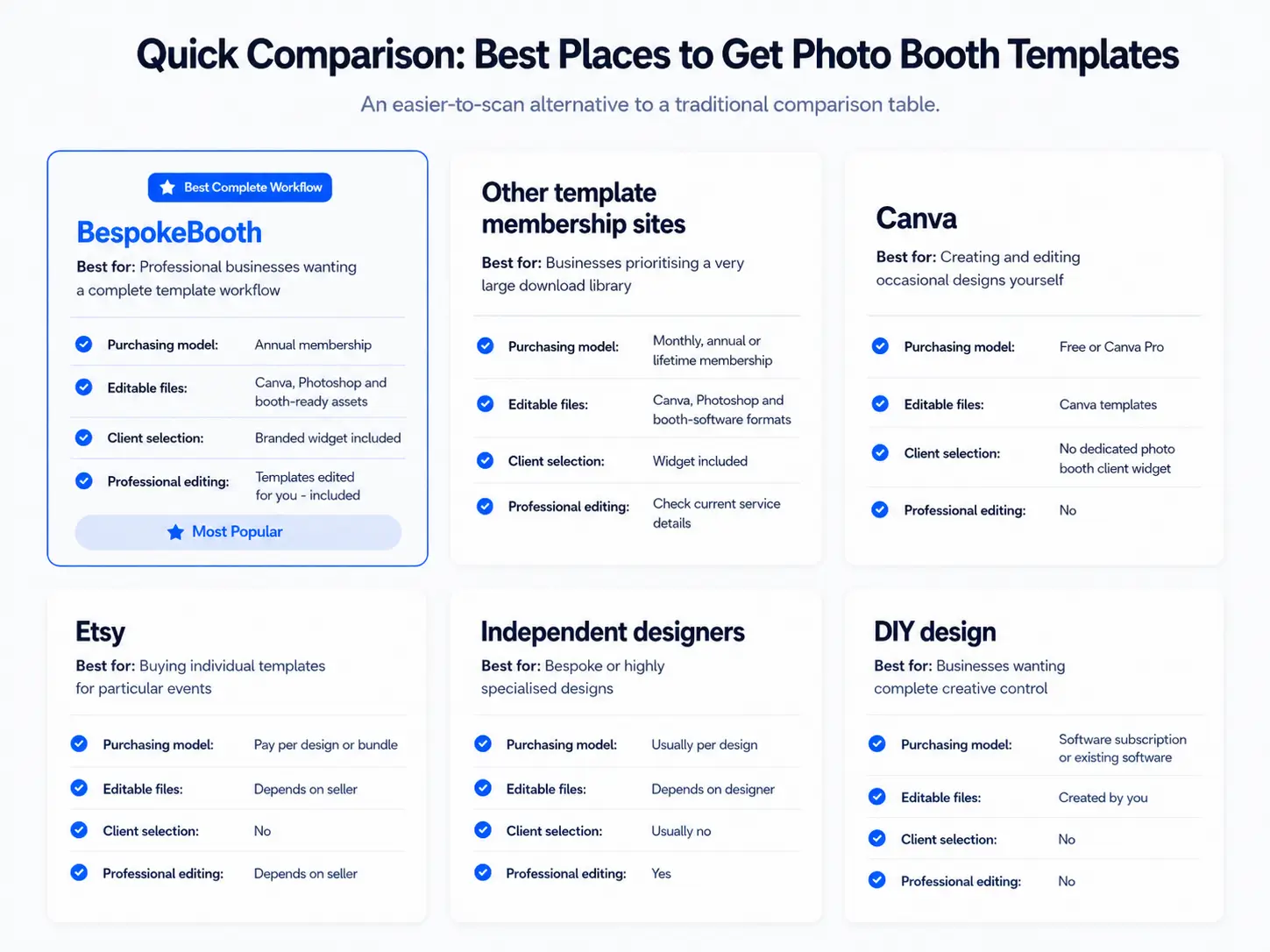
Quick Comparison: Best Places to Get Photo Booth Templates

Features and prices can change, so check each provider’s current website before purchasing.

Provider

Best for

Purchasing model

Editable files

Client selection

Professional editing

BespokeBooth

Professional businesses wanting a complete template workflow

Annual membership

Canva, Photoshop and booth-ready assets

Branded widget included

Included

Other Template Membership Sites

Businesses prioritising a very large download library

Monthly, annual or lifetime membership

Canva, Photoshop and booth-software formats

Widget included

No

Canva

Creating and editing occasional designs yourself

Free or Canva Pro

Canva templates

No dedicated photo booth client widget

No

Etsy

Buying individual templates for particular events

Pay per design or bundle

Depends on seller

No

Depends on seller

Independent designers

Bespoke or highly specialised designs

Usually per design

Depends on designer

No

Yes

DIY design

Businesses wanting complete creative control

Software subscription or existing software

Created by you

No

No

Comparison of six ways to source photo booth templates for a professional business.

What Is the Best Photo Booth Template Website?

For most professional photo booth businesses, the best template website is one that provides:

A large range of styles and event themes

Files compatible with the software you use

Clear commercial-use permissions

A fast way for clients to choose a template

Multiple print and digital layouts

Editable Canva or Photoshop versions

Regularly added designs

Editing assistance when you do not want to personalise files yourself

A large download count can be useful, but quantity alone does not determine whether a service will improve your workflow.

The strongest option is usually the provider that reduces the total amount of work required between receiving a booking and preparing the final template.

1. BespokeBooth

Best for: A complete photo booth template and client workflow

BespokeBooth is designed specifically for professional photo booth businesses that want access to templates without having to manage every part of the design process themselves.

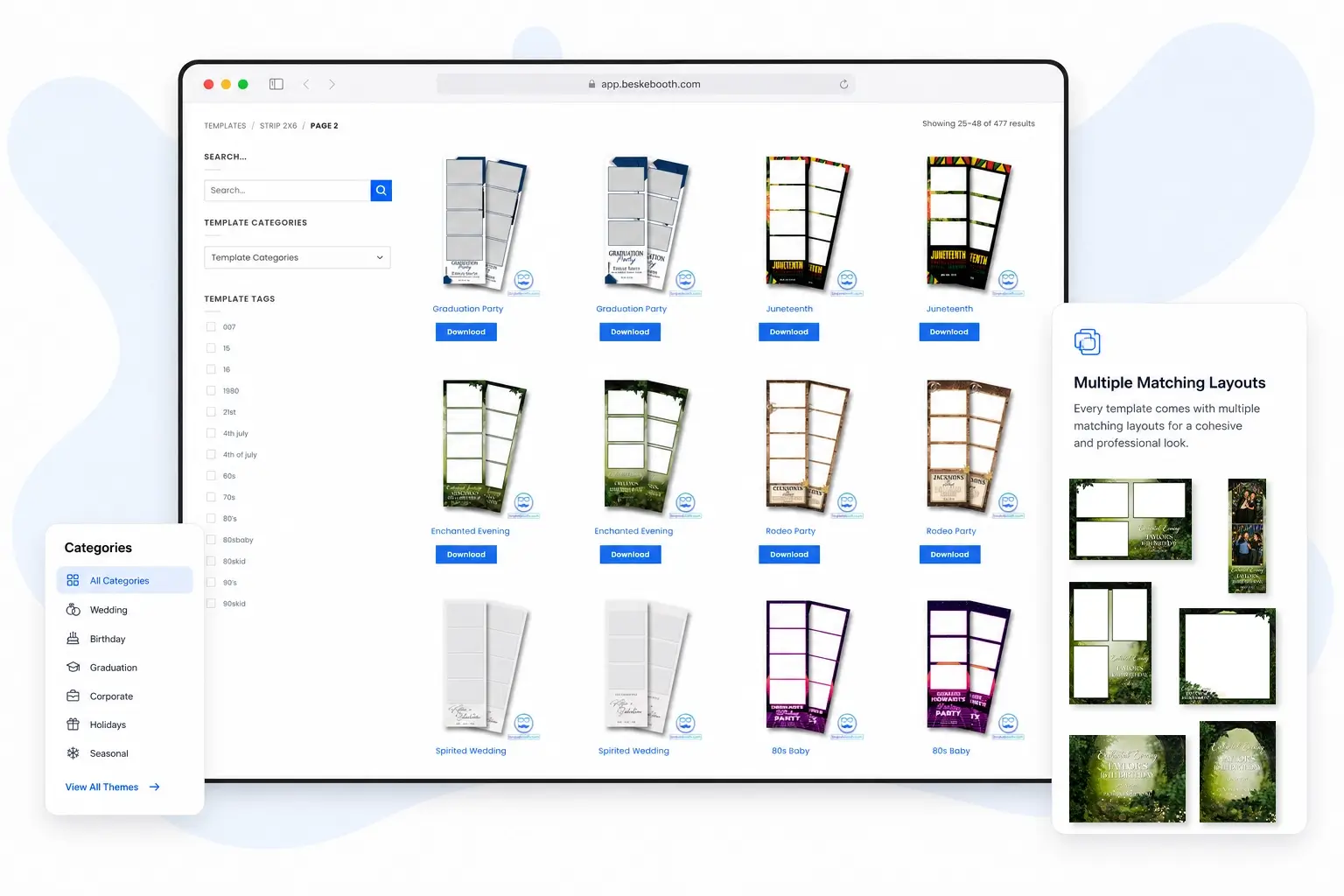
Members receive access to a library of more than 5,000 photo booth templates covering weddings, birthdays, graduations, corporate events, seasonal celebrations and other popular event themes.

The service goes beyond template downloads by combining four main tools:

A large template library

Editable and booth-ready design files

A branded client-facing template-selection widget

Professional template editing

This makes BespokeBooth particularly useful for businesses that want to save time communicating with clients, collecting event details and editing template files.

Main BespokeBooth features

BespokeBooth template library and branded client template-selection widget.

Branded client template selection

BespokeBooth members can provide clients with a branded online widget where they can browse available designs and submit their template choice and event information.

Instead of sending screenshots, PDF catalogues or long email threads, the client can view the collection through one organised interface.

A widget can use a branded address such as:

yourbusiness.boothwidget.com

The widget can also include print templates, digital overlays, start screens, glam booth designs and backdrop choices.

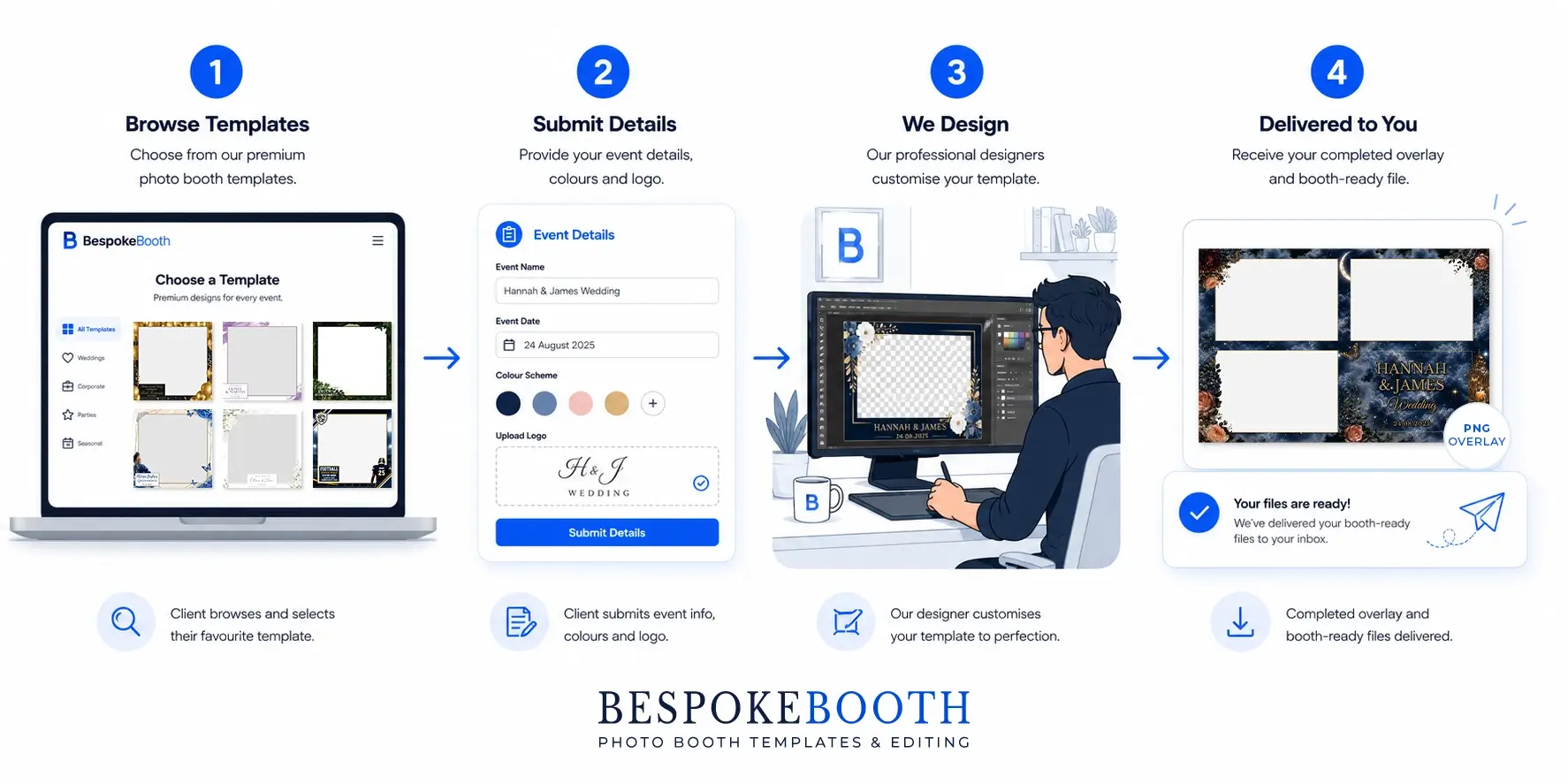
This helps members manage the process from client selection through to the completed event file.

Professional editing included

One of BespokeBooth’s main differences is its professional editing service.

Members who do not want to personalise a template themselves can submit the client’s information to the BespokeBooth editing team. The design can then be prepared with the event details, colours, logos and other requested changes.

This can be especially valuable for:

Members can still edit templates themselves in Canva or Photoshop whenever they prefer.

Who should choose BespokeBooth?

BespokeBooth is likely to be the best choice when you want:

It may be more service than you need when you only want to purchase one design for a single personal event.

Photo booth template workflow from client selection to the completed event file.

2. Other Photo Booth Template Membership Sites

Best for: Access to large downloadable template libraries

Other specialist membership websites provide photo booth businesses with ongoing access to collections of ready-made templates. Depending on the provider, memberships may include Canva files, layered Photoshop files, transparent PNG overlays and files prepared for particular booth-software platforms.

These services are generally best suited to operators whose main priority is downloading a broad range of designs and personalising or managing the files themselves.

Common features

Large collections of photo booth templates

Canva-editable templates

Transparent PNG overlays

New designs added during the membership

Monthly, annual or lifetime membership options

Layered Photoshop files

Files for selected booth-software platforms

Client-facing selection tools from some providers

What to check before joining

Features vary considerably between membership websites. Before purchasing, confirm:

Who should choose a template membership site?

A general template membership may suit businesses that:

This also makes your positioning clearer: BespokeBooth is the complete workflow option, while other membership sites are grouped primarily as download-library options.

3. Canva

Best for: Creating or adapting occasional templates yourself

Canva provides a searchable collection of photo booth and photo-strip designs that users can customise online. Its template library includes options for weddings, birthdays and other social events.

Canva is not a specialist photo booth template membership. However, it can be useful for someone who needs a simple design and is comfortable adjusting dimensions, photo openings and export settings manually.

Advantages of Canva

Easy browser-based editing

A range of free and premium designs

Convenient colour and text changes

Suitable for users without Photoshop experience

Fonts, graphics and stock assets available inside the editor

Useful for creating matching event signs and social graphics

Limitations for professional booth businesses

A Canva design labelled as a photo booth template may not automatically be ready for your booth software or printer.

You may still need to:

Canva also does not provide a specialist photo booth client-selection system or a professional team that prepares each event file for you.

Who should choose Canva?

Canva is a good option when:

A specialist photo booth template provider may be more efficient when you handle regular bookings or require several layouts for every design.

4. Etsy

Best for: Purchasing individual templates and niche themes

Etsy contains a large marketplace of independently sold photo booth templates.

Available products include classic photo strips, 4 × 6 layouts, wedding overlays, birthday templates, graduation designs, 360 booth overlays and Canva-editable files.

Prices, quality, file formats and licensing conditions vary by seller.

Advantages of Etsy

Large variety of independent sellers

No ongoing membership required

Many products are editable in Canva

Useful for unusual or niche event themes

Individual designs can be inexpensive

Customer ratings may help evaluate sellers

Limitations of Etsy

Because Etsy is a marketplace rather than one unified template service, every listing needs to be checked individually.

A template may include:

Some listings sell additional layout conversions separately. Others may provide several sizes as part of one purchase.

Who should choose Etsy?

Etsy is useful when:

For businesses with bookings throughout the year, repeatedly buying individual designs can become less efficient than joining a specialist membership.

5. Independent Photo Booth Template Designers

Best for: Bespoke and highly customised work

An independent designer may be the best option when an event needs a completely original visual identity.

This may include:

Corporate activations

Luxury weddings

Templates based on an invitation suite

Unusual output dimensions

Branded product launches

Highly specific cultural celebrations

Complex sponsor requirements

Matching print, digital and animated assets

A specialist designer can create the layout around the event rather than adapting a pre-existing template.

Advantages of independent designers

Limitations of independent designers

Independent design is most valuable for premium or specialist bookings. A template membership is generally more cost-effective for regular weddings, birthdays and school events.

6. Designing Templates Yourself

Best for: Complete creative control

Some photo booth businesses create every template internally using Photoshop, Illustrator, Canva or another design platform.

This provides maximum control over branding, file preparation and design style.

It can work well when the owner or a team member already has strong graphic-design skills and enough time to manage the work consistently.

Advantages of designing templates yourself

Complete creative freedom

Files can be prepared around your exact booth setup

Original work can become part of your competitive advantage

No dependence on another provider

Easy to develop a recognisable house style

Limitations

Creating one design may involve much more than producing a single overlay.

A complete template set could require:

The true cost should therefore include both the software and the time spent designing, exporting, testing and organising files.

For many businesses, the most practical solution is a mixture of membership templates, internal editing and occasional custom design.

What Should You Look for in a Photo Booth Template Provider?

Before choosing a website, compare the following areas.

1. Design quality

A large library is only valuable when the designs are suitable for real bookings. Look for:

2. Available layouts

Check whether each design includes the formats you regularly sell. Common layouts include:

Do not assume every provider includes every layout.

3. Editable file formats

The most useful format depends on how you work. Canva files Canva is convenient for changing:

It is generally easier for users without advanced graphic-design experience.

Photoshop files

Layered PSD files provide more detailed control over:

Transparent PNG overlays

PNG overlays can often be placed directly into booth software once the event details and dimensions are correct.

Booth-software files

Some providers supply files prepared for specific programs. Check whether the files match the software version, printer setup and dimensions you use.

4. Commercial-use permissions

A professional booth business needs permission to use templates for paid client events. Read the licence rather than assuming that purchasing a digital file automatically permits every type of commercial use. Check whether you can:

Most licences will not allow you to resell, redistribute or share the editable source files as standalone products.

5. Client selection tools

A large library can create another problem: how do clients browse it? Without an organised selection system, businesses may need to:

A client-facing widget can make the template library more useful by turning it into a structured part of the booking process.

6. Editing support

Check whether the provider only supplies source files or also helps prepare finished event templates. Editing support can reduce the time spent:

This can be one of the most important differences between two similarly priced template memberships.

7. New template frequency

Review how often the library is updated and whether new releases match the events your clients actually book. Useful additions may include:

Frequent updates are helpful, but relevance and quality matter more than publishing large numbers of minor variations.

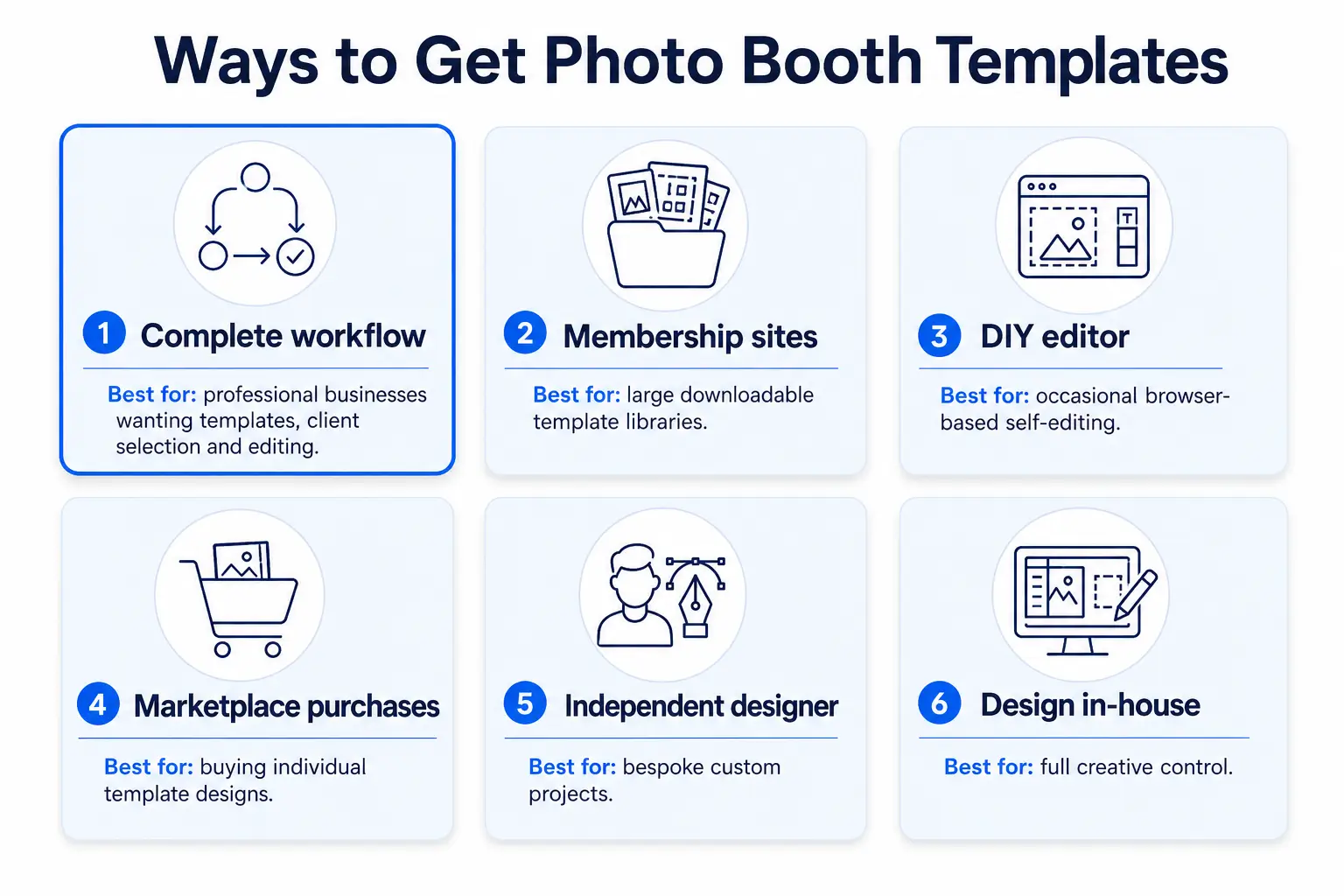
Checklist of features to compare when choosing a photo booth template provider.

Template Membership vs Individual Purchases

A template membership is generally better when you:

Individual purchases may be better when you:

Consider the total annual cost rather than comparing one Etsy template with one annual membership.

For example, purchasing several individual layouts for every wedding, birthday, graduation and corporate event can quickly cost more than a library membership. The administrative time required to search different sellers and organise inconsistent files should also be considered.

Which Photo Booth Template Website Is Best for You?

Before joining a library or purchasing a collection, ask the following questions.

Choose BespokeBooth when:

You want a large template library combined with a branded client-selection widget and professional editing support.

Choose other template membership sites when:

Your main priority is a very large multi-format download library with files for several booth-software platforms.

Choose Canva when:

You need an occasional DIY design and are comfortable preparing it for your booth system yourself.

Choose Etsy when:

You want to buy one individual template or locate a niche theme from an independent seller.

Choose an independent designer when:

You require a completely bespoke template for a premium event or corporate activation

Design templates yourself when:

You have the skills, time and systems to create every required layout internally.

Final Verdict

There is no single template website that is best for every user.

Canva and Etsy can be effective for occasional purchases and DIY editing. Independent designers are valuable for bespoke projects. Large membership libraries are generally better for professional operators who need new options throughout the year.

For photo booth businesses wanting the most complete workflow, BespokeBooth is one of the best places to get photo booth templates.

It combines:

Rather than only providing a file to download, BespokeBooth helps manage the process from the client choosing a design through to preparing the finished template for their event.

Frequently Asked Questions

For professional businesses, the best place is usually a specialist photo booth template provider offering commercial-use designs, several layout sizes, editable files and support for real booth workflows.

BespokeBooth is a strong all-round choice because it combines a library of more than 5,000 templates with Canva and Photoshop files, a client-facing selection widget and professional editing.

The best membership depends on whether you prioritise download quantity, software formats, client selection or editing support.

BespokeBooth is best suited to businesses wanting templates, client selection and professional editing within one service. Other template sites such as TemplatesBooth, PhotoBoothTalk & PhotoBoothGraphics are another strong option for businesses prioritising a very large multi-format download library.

You can use appropriately licensed Canva designs, but you may need to resize them, create accurate photo openings, check the asset licence and export a transparent overlay that matches your booth software.

A Canva design is not always automatically ready for a professional photo booth setup.

Commercial permissions depend on the individual seller’s licence. Read the full listing and licence terms before using an Etsy design at paid client events.

Do not assume that every digital download includes unlimited commercial use.

A membership can be worthwhile for businesses handling regular events because it provides a broad selection at a predictable cost.

It is particularly valuable when it also includes additional layouts, editable files, client selection or professional editing.

Most booth systems use a transparent PNG overlay for the finished event template.

Canva or layered Photoshop files are useful when you need to change text, colours, logos or graphic elements before exporting the final PNG.

Not always. Many providers now include Canva-editable versions that allow basic changes through a web browser.

Photoshop remains useful for advanced edits and full control over layered design files.

Clients can choose through a PDF catalogue, shared folder, webpage or specialist template-selection widget.

A branded widget is usually more organised because clients can browse designs and submit their event information through the same interface.

Yes. Some independent designers provide personalisation services, while BespokeBooth includes professional template editing as part of its membership workflow.

Buy individual designs when you only need templates occasionally or require a very specific theme.

Choose a membership when you run regular events, offer clients several options and need an ongoing supply of new designs.

Give Clients a Better Way to Choose Their Design

Offer a professional template-selection experience, collect event details more efficiently and leave the stock-template editing to our team

How it Works

Find out more

FAQ

Frequently asked questions.